
What is MCP Server? How to Use It, Register Tools, and Build Real AI Integrations
Introduction
Most AI systems today fail because they cannot interact with real business tools. They can answer questions but cannot take action. This is where MCP Server (Model Context Protocol) comes in.
What is MCP Server?
MCP Server is a bridge between AI models and external systems. It allows AI to call tools, fetch real-time data, and perform actions.
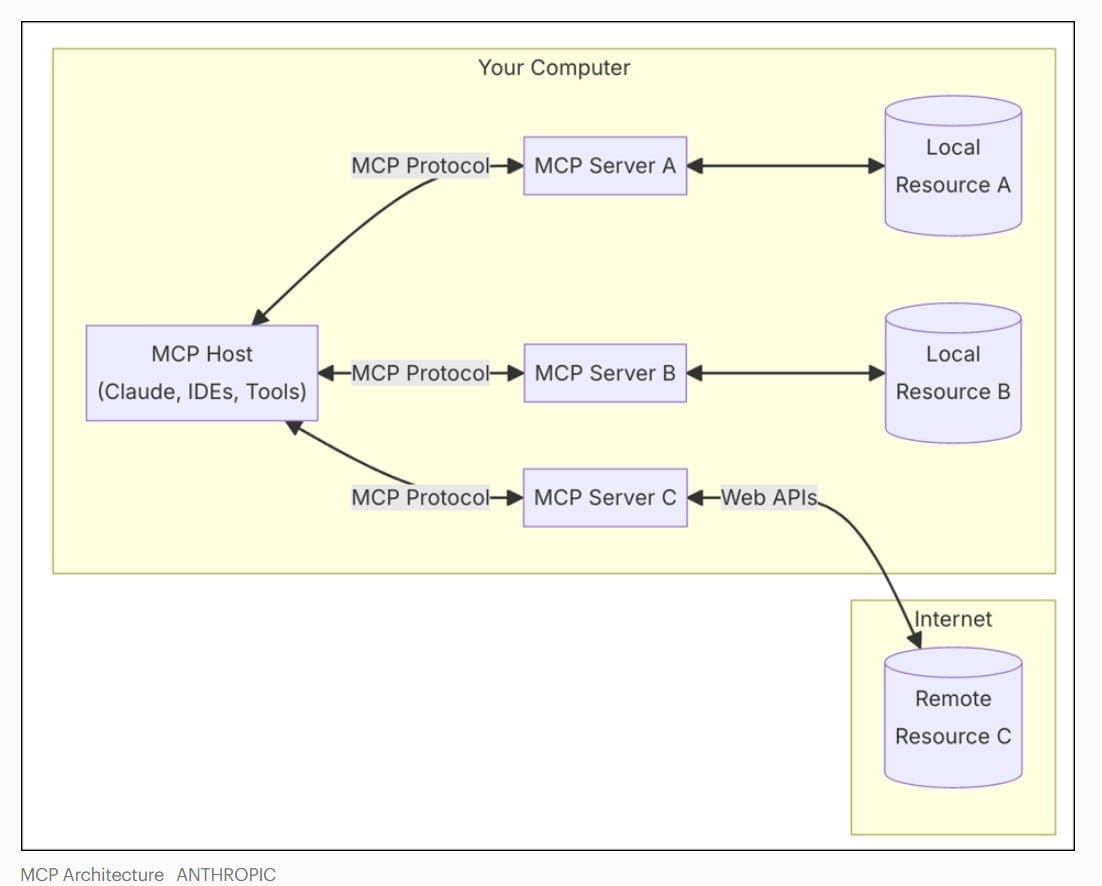
Chatbot vs Action-Based AI
- Chatbots: Only answer questions
- With MCP: AI can fetch data, update systems, and automate workflows
Where MCP Server is Used
- ERP systems (orders, invoices, inventory)
- CRM systems (lead updates, tracking)
- WhatsApp automation
- Internal dashboards
- SaaS integrations
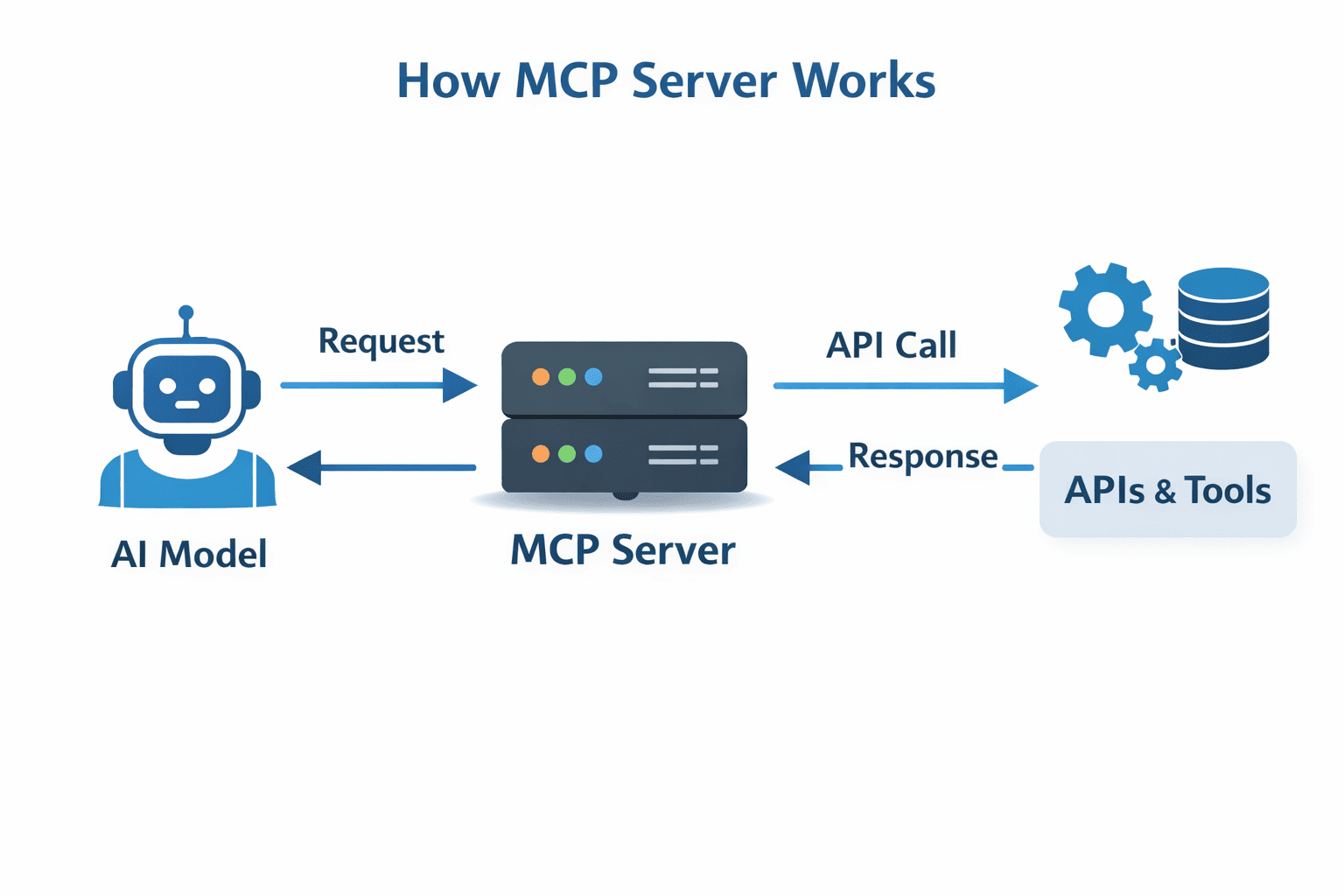
How MCP Server Works
Flow: AI → MCP Server → Tool → Response → AI
- Tools: Functions AI can call
- Schemas: Input/output definitions
- Execution: API call
- Structured Output: JSON response
Step-by-Step Implementation
Step 1: Identify Tool
Choose system like ERP or CRM.
Step 2: Define Schema
{
  "name": "get_order_status",
  "parameters": {
    "order_id": "string"
  }
}
Step 3: Create MCP Server
In this step, you build a backend server that exposes your business functions as API endpoints. These endpoints act as tools that the AI can call.
How it works:
- Wrap business logic (ERP, CRM, DB queries) into functions
- Expose them via REST APIs
- Return structured JSON responses
- Ensure secure access using API keys or authentication
Example (Node.js Express MCP Server):
const express = require('express');
const app = express();
app.use(express.json());

// Example tool function
app.post('/tools/get_order_status', async (req, res) => {
  const { order_id } = req.body;

  // Simulated database/API call
  const order = {
    id: order_id,
    status: "Shipped",
    estimated_delivery: "2026-04-02"
  };

  res.json({
    success: true,
    data: order
  });
});

app.listen(3000, () => {
  console.log('MCP Server running on port 3000');
});
This server exposes a tool endpoint that AI can call to fetch real-time order status.
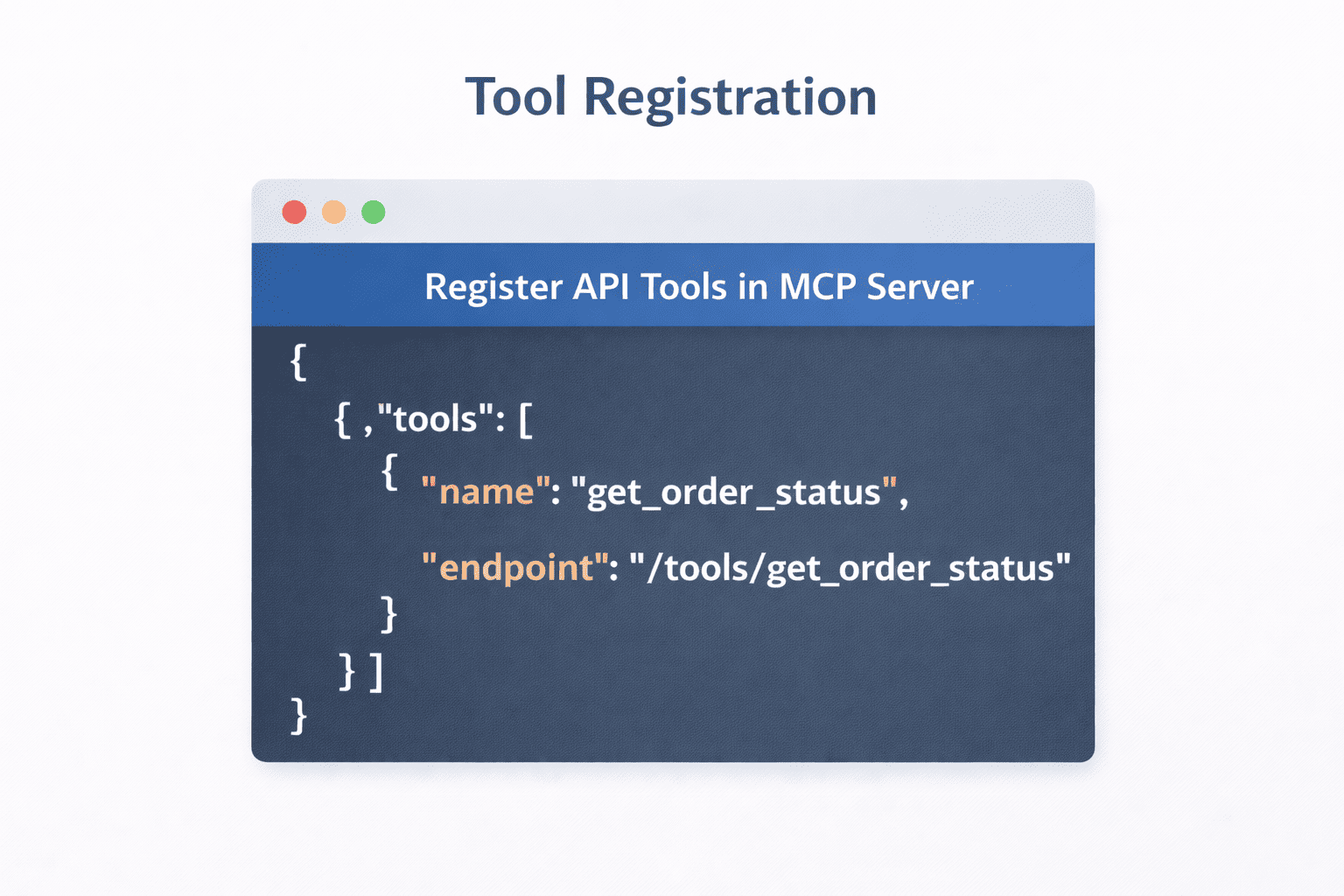
Step 4: Register Tools
{
  "tools": [
    {
      "name": "get_order_status",
      "endpoint": "/tools/get_order_status"
    }
  ]
}
Step 5: Connect AI Model
AI selects tools automatically based on user request.
Step 6: Handle Responses
Return structured JSON for accurate results.
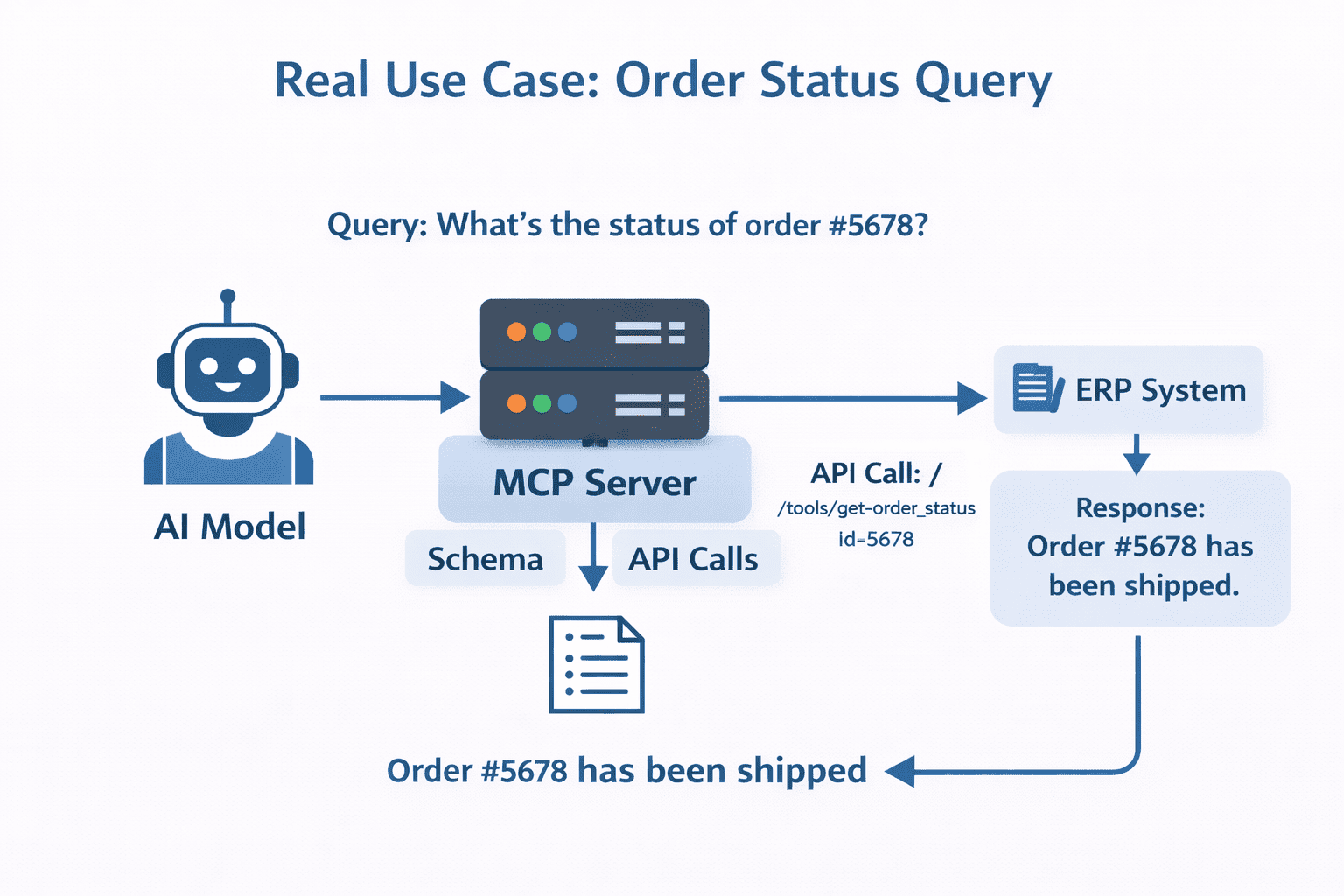
Real Use Case
Before MCP: AI cannot fetch order details.
After MCP: AI fetches real-time order status instantly.
Benefits
- Real-time data access
- Automation
- High accuracy
- Scalable architecture
Challenges & Best Practices
- Secure APIs (API keys, OAuth)
- Handle errors properly
- Ensure API reliability
Conclusion
MCP Server enables AI to move from answering questions to performing real actions.
Ready to build real AI integrations?
Think Info Services helps businesses implement MCP Server and AI automation solutions.
Contact Us →

